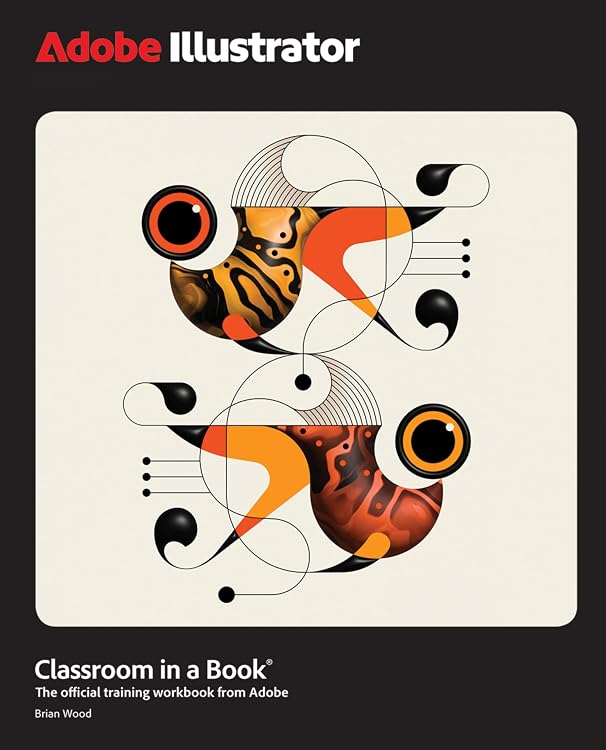
Adobe Illustrator Classroom in a Book 2025 Release
Adobe Illustrator Classroom in a Book 2025 Release is a 17-lesson workbook built around practical projects, from drawing and painting to logos, illustrations and social ads. It moves from core selections, shapes, colour and editing into gradients, layers, brushes, effects and asset export. You need Adobe Illustrator 2025 for Windows or macOS, which is not included.
At a glance
- 17 project-led lessons cover beginner fundamentals and techniques for more experienced users.
- Project examples include precise drawings, expressive paintings, logos, illustrations, social ads and posters.
- Topics extend from selections, shapes, colour and editing to freeform gradients, layers, artistic brushes, creative effects and asset export.
- The book can be followed from beginning to end or used selectively for lessons of interest.
Often bought together
Pros and cons
Pros
- Project-based exercises connect Illustrator tools with practical design tasks.
- The range of topics includes both foundational editing and later-stage creative features.
- The lessons can be used selectively rather than only as a fixed start-to-finish course.
Technical specifications
10 specifications| Publisher | Adobe Press |
|---|---|
| Publication date | 18 March 2025 |
| Edition | 1st |
| Language | English |
| Print length | 480 pages |
| ISBN-10 | 013537684X |
| ISBN-13 | 978-0135376843 |
| Weight listed | 940 g |
|---|---|
| Dimensions | 18.42 x 2.44 x 22.86 cm |
| Required software | Adobe Illustrator 2025 Release software, for either Windows or macOS. (Software not included.) |
|---|
What to know before buying
- Adobe Illustrator 2025 for Windows or macOS is required and is not included, so this book alone does not provide the software needed to complete its projects.
Who is it for?
A good fit for
- People learning Illustrator through guided, practical projects.
- Existing Illustrator users looking for structured exercises across drawing, logos, illustration and export workflows.
- Readers who want a printed reference they can work through selectively.
Less suited to
- Anyone looking for a software bundle, since Illustrator is not included.
- Readers needing instructions for a release other than Illustrator 2025.
Customer reviews on Amazon
- 5 stars
83% 83% - 4 stars
13% 13% - 3 stars
2% 2% - 2 stars
0% 0% - 1 star
2% 2%
Customer feedback describes the book as informative and well-organised, with a specific mention of useful techniques for experienced users. That perspective fits a workbook with 17 guided projects and topics spanning fundamentals through effects and asset export. Aggregate ratings are largely positive, though ratings alone do not show how well a particular lesson suits an individual learner.
Positive themes
- Customers describe the content as informative.
- Customers describe the book as well-organised.
Frequently asked questions
What software do I need to use this book?
The listing says Adobe Illustrator 2025 for Windows or macOS is required. The software is not included.
What does the book teach?
Its 17 lessons cover fundamentals such as selections, shapes, colour and editing, then move into gradients, layers, brushes, effects and asset export through real-world projects.
Can experienced users benefit from it?
The listing describes the book as suitable for beginners and experienced users. Customer feedback also mentions useful techniques for more experienced users.
Do I have to complete every lesson in order?
No. The listing says you can work through the book from start to finish or choose the lessons that interest you.
Alternative options
Adobe Illustrator Classroom in a Book 2026 Release
$97.88
Adobe Photoshop Classroom in a Book 2026 Release
$91.22
The Adobe Tools Bible for Beginners: Workflows, Templates & Time-Saving Shortcuts | The Most Complete Guide to Photoshop, Illustrator, Lightroom, After Effects, and Every Adobe App
$90.85
Adobe Illustrator Classroom in a Book 2024 Release
$44.29
THE HISTORY OF THE PELOPONNESIAN WAR (LARGE PRINT EDITION): A Definitive Account of the Ancient Conflict Between Athens and Sparta – War, Politics, and Power in Classical Greece
$52.80
Incidents in the Life of a Slave Girl, Written by Herself (Large Print Edition): A true story of slavery, survival, and maternal strength
$37.11
Adobe Acrobat DC Pro 2025 Guide for Beginners: Mastering PDF Creation, Editing, and Security with Advanced Tools and AI Integration
$32.30
The Understanding Adobe Illustrator Guide: Master Every Essential Tool and Technique in Adobe Illustrator to Design Logos Typography Digital Art and Professional Graphics with Precision and Creativity
$32.62
Excel: The most updated bible to master Microsoft Excel from scratch in less than 7 minutes a day | Discover all the features & formulas with step-by-step tutorials
$32.96
Adobe Illustrator 2026 Guide for Beginners: A Step By Step Beginner Friendly Path To Confident Vector Design Creative Workflows Professional Results And Real World Projects Using Modern Digital Tools
$32.68
Photoshop Made Simple 2027 Edition: A Practical Handbook For Photo Editing Retouching Layers Masking Selections And Digital Design For Beginners And Creatives
$29.79