 1 / 7
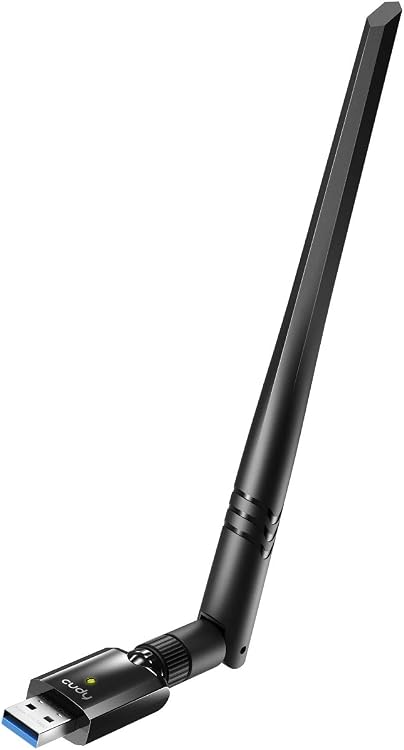
Cudy WU1400 AC1300 Dual-Band USB 3.0 Wi-Fi Adapter
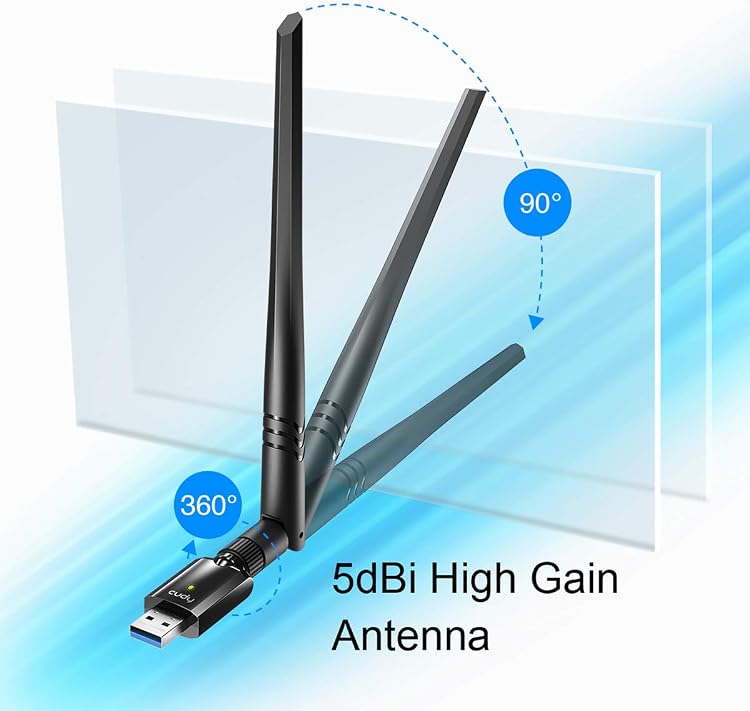
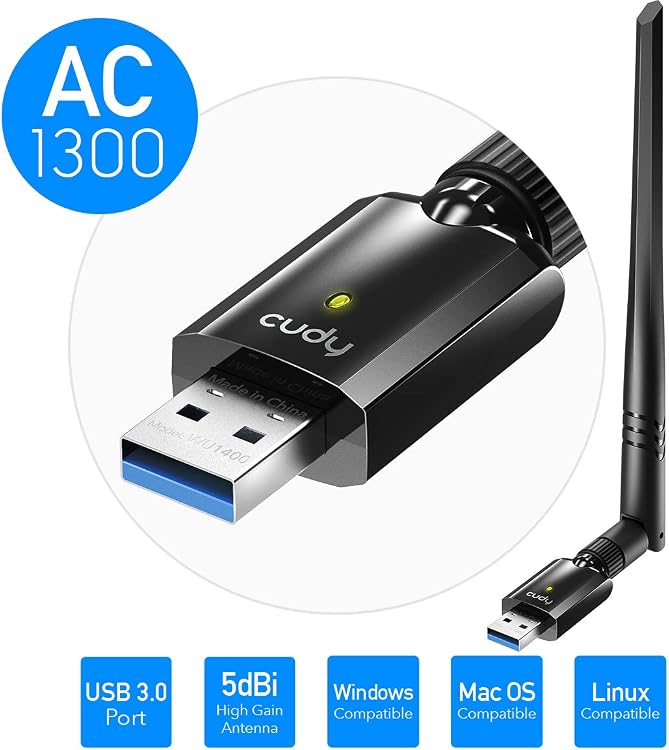
AC1300: The Cudy WU1400 is a dual-band USB 3.0 Wi-Fi adapter for desktop PCs and laptops, with a listed 5dBi antenna and claimed link rates of up to 400Mbps on 2.4GHz and 867Mbps on 5GHz. It offers a way to add Wi-Fi connectivity or create a hotspot from a computer’s wired connection, subject to operating-system and driver compatibility.
At a glance
- USB 3.0 interface and dual-band 802.11ac support.
- Manufacturer claims up to 400Mbps on 2.4GHz and 867Mbps on 5GHz. These are band-specific maximums, not guaranteed internet speeds.
- 5dBi antenna and Soft-AP mode for sharing a computer’s wired internet connection as a Wi-Fi hotspot.
- Driver installation is described through an included CD or a download address printed in the manual.
Pros and cons
Pros
- USB 3.0 interface is specified alongside the claimed 867Mbps 5GHz link rate.
- Soft-AP mode can let a wired PC or laptop share its connection with Wi-Fi devices.
- Customer feedback reports good speed and stable connections, though experiences vary.
Cons
- macOS Big Sur is explicitly listed as unsupported.
- Customer feedback includes concerns about longevity and problematic Linux compatibility.
Technical specifications
26 specifications| Brand | Cudy |
|---|---|
| Model | WU1400 |
| Data link protocol | IEEE 802.11ac |
| Hardware interface | 802.11 ac/b/g/n, USB 3.0 |
| Claimed data transfer rate | 1300 Megabits Per Second |
|---|---|
| 2.4GHz rate | Up to 400Mbps (Dynamic) |
| 5GHz rate | Up to 867Mbps(Dynamic) |
| Wireless standards | IEEE 802.11ac,IEEE 802.11a,IEEE 802.11n, IEEE 802.11g, IEEE 802.11b |
| Frequency range | 2.4-2.4835GHz/5.15-8.825GHz |
| Wireless transmit power | 20dBm (EIRP) |
| Modulation type | DBPSK,DQPSK,CCK, OFDM |
| Receiver sensitivity | 867M:-53dBm@10%PER 300M: -68dBm@10% PER 54M: -72dBm@10% PER 11M: -85dBm@8% PER |
| Wireless security | WPS,64/128bitWEP,WPA/WPA2,WPA-PSK/WPA2-PSK(TKIP/AES) |
| Work mode | Ad-Hoc Infrastructure |
| Compatible devices | Desktop, Laptop |
|---|---|
| Operating system families | Linux, Windows |
| Minimum required operating system version | Windows 7 |
| Listed operating systems | Windows VISTA/Win7/Win8/Win8.1/Win10/Linux/Macintosh |
| USB interface | USB3.0 Hi-Speed connector |
| Hotspot function | Soft-AP |
| Antenna | 5dBi |
|---|---|
| Weight listed | 29 Grams |
| Operating temperature | 0°C~40°C (32°F~104°F) |
| Storage temperature | -40°C~70°C (-40°F~158°F) |
| Relative humidity | 10% ~ 90%, non-condensing |
| Storage humidity | 5%~95% non-condensing |
What to know before buying
Listing details to confirm
The listing is inconsistent about operating-system support: it names Mac OS generally but specifically excludes macOS Big Sur, and its system list includes Vista although the stated minimum is Windows 7. Check driver support for the exact OS version, particularly Linux and macOS. The claimed 1300Mbps total corresponds to separate stated maxima of 400Mbps on 2.4GHz and 867Mbps on 5GHz, not a single-band rate. The listed frequency range and USB speed comparison also warrant checking if exact specifications matter.
Who is it for?
A good fit for
- Desktop PC or laptop owners seeking a USB Wi-Fi adapter with dual-band 802.11ac support.
- Buyers who want a Soft-AP option to share a computer’s wired connection over Wi-Fi.
- Users prepared to confirm driver support for their specific operating system, especially Linux or macOS.
Less suited to
- macOS Big Sur users, which the listing says is unsupported.
- Buyers who require assured Linux compatibility or independently verified real-world speeds.
Customer reviews on Amazon
- 5 stars
65% 65% - 4 stars
16% 16% - 3 stars
8% 8% - 2 stars
3% 3% - 1 star
8% 8%
Customer feedback reports stable connections, good speed and easy installation, with some also describing the adapter as good value. Experiences with functionality are mixed. Feedback also raises concerns about durability and Linux compatibility. These reports may matter particularly for Linux users or buyers prioritising long service life, and they do not establish performance for every setup. The listing’s OS caveats make checking driver support especially relevant.
Positive themes
- Customers report stable connections, good speed and straightforward installation.
Negative themes
- Customer feedback raises durability concerns and reports Linux compatibility problems.
Mixed feedback
- Feedback on overall functionality varies, with some customers satisfied and others reporting poor performance.
Frequently asked questions
What speeds does the WU1400 claim?
The listing claims up to 400Mbps on 2.4GHz and 867Mbps on 5GHz, with 1300 Megabits Per Second also stated as the overall data transfer rate. These are advertised link-rate figures, not guaranteed internet speeds.
Which operating systems are listed?
The description lists Windows Vista through Windows 10, Linux and Macintosh, while the details name Linux and Windows and set Windows 7 as the minimum. The listing specifically says macOS Big Sur is unsupported, so confirm driver support for your exact system.
Can it create a Wi-Fi hotspot?
Yes. The listing describes Soft-AP mode for turning a wired internet connection on a PC or laptop into a Wi-Fi hotspot.
What is included?
The description lists a mini USB adapter, setup CD and installation guide. Check the selected listing’s package details if those items are important.