iPad 2 For Seniors For Dummies
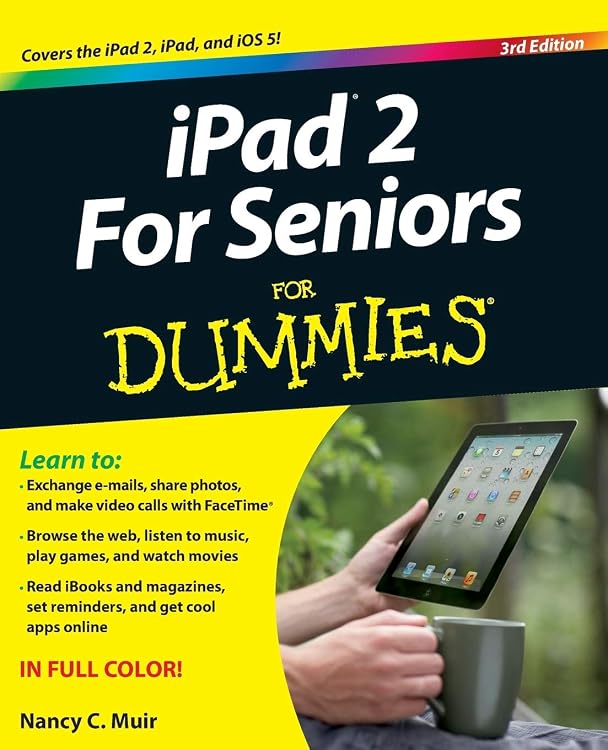
iPad 2 For Seniors For Dummies is a beginner-focused guide to using an iPad or iPad 2. Its listing describes larger type and colour illustrations, with chapters covering setup, accessibility, email, web browsing, ebooks, media, photos, FaceTime and apps.
At a glance
- Listing describes senior-friendly larger type and full-colour illustrations.
- Covers core tasks including setup, touchscreen use, accessibility, email, web browsing and reading ebooks.
- Includes guidance on photos, music, videos, FaceTime, apps, maps and calendar use.
- The edition's updated material covers iOS 5 and iCloud features.
Reference price: $52.95
Price checked: 13 Nov 2026
View offerAhead of Black FridayExplore the selectionPros and cons
Pros
- Broad, practical coverage gives new iPad users a reference for everyday tasks.
- Larger type and full-colour illustrations are described as features of the book.
Cons
- Its stated software coverage is iOS 5 and iCloud, so it is aimed at an older iPad era rather than current software.
Technical specifications
11 specifications| Publisher | For Dummies |
|---|---|
| Edition | 3rd |
| Publication date | 23 November 2011 |
| Language | English |
| Print length | 400 pages |
| ISBN-10 | 1118176782 |
| ISBN-13 | 978-1118176788 |
| Weight listed | 907 g |
|---|---|
| Dimensions | 18.85 x 2.24 x 23.42 cm |
| Devices covered | Covers the iPad and iPad 2 |
|---|---|
| Software update coverage | New edition is updated with new content on iOS 5 and iCloud features, including iMessage, Newsstand, Reminders, Reader and Reading List tools, and more |
Who is it for?
A good fit for
- Older adults and other beginners learning an iPad or iPad 2.
- Readers who want a printed reference for basic iPad tasks and the iOS 5 era.
Less suited to
- Buyers seeking guidance for current iPadOS features or newer iPad models.
Customer reviews on Amazon
- 5 stars
58% 58% - 4 stars
22% 22% - 3 stars
12% 12% - 2 stars
5% 5% - 1 star
3% 3%
Customer feedback describes the guide as informative, readable and useful as a reference, particularly for novice and senior users. That praise fits its broad coverage and stated larger type, but it does not change the book's specific focus on iPad and iPad 2 with iOS 5-era material. Aggregate ratings lean positive overall, while the spread of ratings indicates experiences are not uniformly favourable.
Positive themes
- Customers describe the guide as informative and easy to understand.
- Feedback highlights its usefulness as a reference for novice and senior readers.
Frequently asked questions
Which iPads does the book cover?
The listing says it covers the iPad and iPad 2.
What topics are included?
It describes setup, touchscreen and accessibility features, browsing, email, ebooks, maps, calendar, FaceTime, apps, music, videos and photos.
Is this a guide to current iPad software?
The listed updated content focuses on iOS 5 and iCloud, including features such as iMessage, Newsstand and Reminders. It is not presented as a guide to current iPadOS.